Ryuzine publications are not really intended for printing, the whole point of the format is to create digital magazines or comics, not paper media versions. That said, you can print out a Ryuzine publication, but the results will vary depending on how the publisher chose to lay out the pages.
You will need to go to the “Views” panel within the Ryuzine webapp and select either “Continuous” or “HTML Only” (depending, respectively, on whether you want to try and retain as much of the actual page layout as possible or if you really just want the text and images). If you leave the “Views” setting on “Magazine” format, at best, you’ll only get a printout of the cover.
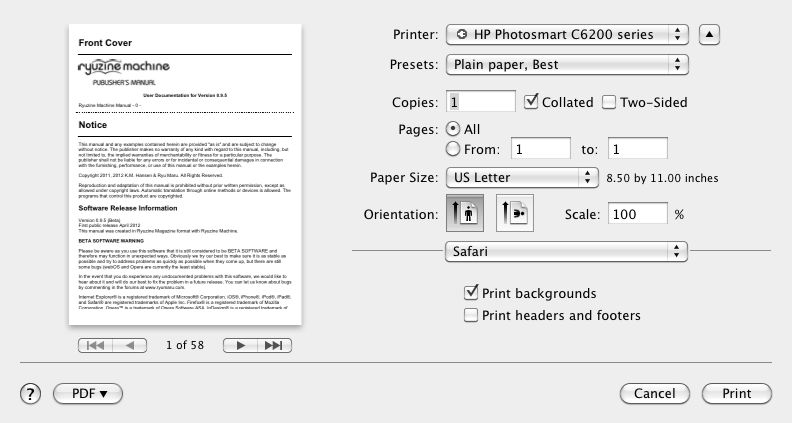
Then go to your web browser’s “Print” dialog. You should also see a preview of how it will print. Since each Ryzine page can be, like any web page, of infinite length it is likely the content on many pages will require more than one physical page to print. You can make the pages fit a bit better by turning off the header and footer most browsers add to each page, and some browsers give you the option to “scale” the page for a better fit. However, no matter what setting you use you will most likely not get a printed version you could bind into a physical book that looked like the digital version.
Pages with very little content and/or “full bleed” tiled background images may print as very short pages (the pages only “expand” in length as much as needed to show all the content, so empty – or nearly empty – pages are not very long). Remember that printing to paper is not the intended output for Ryuzine publications. They are intended for viewing in a web browser.
Note: the aforementioned information was included in the “Help” documentation within the webapp up to version 0.9.4 but was dropped in 0.9.5 even though the webapp still contains a print stylesheet.
Given that publishers have no control over what size of paper, resolution, or scale at which someone may try to print the publication it’s probably not worth the effort to try to create page layouts that will print in a specific way. The print stylesheet is only very generally coded to fill the available space on the paper, however large or small that may be, and does not force page breaks after each Ryuzine page (in other words content from two pages may end up printed on one sheet). It is not coded for printing to a specific size of paper and it will only utilize the “fallback” images unless you specifically add a print media query to your issue-specific stylesheet. The “fallback” images are typically the same ones used in your two-page spreads at 1024 pixels wide. Using that layout size as a guide it yields individual pages of 512 x 646 or 512 x 748 (if using “fillpad” option). A sheet of US Letter paper @ 72 dpi is 612 x 792 and A4 is 595 x 842 so in theory any content which fits in a single, non-scrolling Ryuzine page when viewed in 1024 pixel wide two-page spreads should print on a single sheet of paper as well.
If you are a publisher and it is really important to you that people have a printer friendly version of your publication that will print exactly as you want it, you should build a PDF version in page layout software (such as QuarkXpress, InDesign, or Scribus) and provide a link to the alternative PDF version.