Category Archives:

Ryuzine Writer Demo Updated

The Ryuzine Writer online demo has just been updated to the latest (0.9.6.1) version!  This new version works with current versions of Chrome, Safari, and Firefox plus “experimental” support for Internet Explorer 10.  The new “mobile mode” (also considered experimental) supports both phones and tablets.

The only feature which has been disabled in the online demo are the new PHP File Operations (read/write files to the server).  However, if you Download the PDK and set it up on a localhost web server – we strongly recommend using XAMPP – you’ll be able to open and save files as well as automatically package publications into downloadable ZIP files.  To be clear, this functionality is disabled in the online demo.

Ryuzine Machine → Ryuzine Writer

With the release of version 0.9.6.0-b we are officially changing the name of our “Ryuzine Machine” authoring webapp to “Ryuzine Writer.”  After presenting our software at recent events we realized it wasn’t immediately clear to people what “Ryuzine Machine” did so we have decided to rename it in a way that makes it obvious what the function of the webapp is and does.

This new version represents an almost complete overhaul of the code, so it’s like a totally new app anyway, which made it a good time to change the name.  With the new name and icon there are a ton of new features.  Here’s a sampling:

* Completely new User Interface is a theme-able, responsive design that adapts to different screen sizes and orientations (including a new experimental “Mobile Mode” for phones and tablets).

* Real file operations when running from a PHP-enabled localhost server

* Build and test custom configuration files

* Build and edit Ryuzine Rack Data Catalog files

* New device profiles added to the Simulator

* Now works with Firefox (plus experimental support for Internet Explorer 10)

* Two-dozen additions, updates, and fixes

Ryuzine Reboot!

[UPDATE: 7 November 2012 – there has been a minor update to version 0.9.6.1 which has all the webappy goodness noted on this page and then some]

Wow, what a difference a year makes!  Exactly one year ago the first public Ryuzine betas were released.  Today we’re proud to announce the availability of the SIXTH major revision of our reader and authoring webapps, an update to our Ryuzine Press plugin for WordPress, and the all new newsstand webapp called Ryuzine Rack.

Nearly all the code has been rewritten, which is why this feels a lot more like a “Ryuzine Reboot” than just another update.  However it is not only completely compatible with any of your existing Ryuzine publications, updating them has never been easier.  Just drop them and their image assets and issue-specific styles into a new Ryuzine distro folder and the old file (all the way back to the first public release version) is rewritten and updated on-the-fly to the current version.  We’ve also renamed Ryuzine Machine to “Ryuzine Writer” to make its utility clearer, and introduce our optional newsstand webapp called “Ryuzine Rack” for both stand-alone Ryuzine installations and the Ryuzine Press plugin for WordPress.  Ryuzine Reader and Ryuzine Press have also been overhauled to take advantage of all this rebooty goodness.

Since this “reboot” took a bit longer to test and finish than originally anticipated, rather than making you wait even longer we’re releasing it all right now.  That’s right, hit the download links and you get this shiny new version of the PDK available today get this even shinier newer version of the PDK available today  Over the next month we’ll be updating the online demo [update: online demo has been updated] and documentation.

The PDK now includes all the Add-Ons and Themes available on our site. They’re also included when you use the Ryuzine Press plugin “one click” installer (yay! no more need to install all of the extras individually). Here is a run-down on what’s in store in version 0.9.6.0-b:
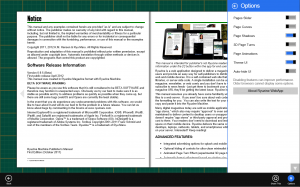
Ryuzine Reader

1. Issue-specific stylesheet no longer specified in config file

2. Android 2.x fixes/changes:

a. fixed scrolling in panels

b. prevents incompatible page shadows setting

c. disables pages shadows and 3D page turn

d. fixed “cover clearing” issue

e. fixed page turn error when themes are applied

3. Android 3+ fixes/changes

a. fixed scrolling issue in panels

b. added Native Momentum Scrolling

4. iOS 5+ devices:

a. added Native Momentum Scrolling

b. fixed horizontal scrolling error in panels

c. fixed Safari version detection in App View mode

5. Zoom & Pan no longer enabled by default on touch devices

6. Dynamic theme loading fixed for Android 3+, Windows Phone, and BlackBerry

7. Internet Explorer Favicon and Shortcut added (including Windows 8 Pinning)

8. Animations now supported in Internet Explorer 10

9. Experimental detection of Internet Explorer 10 running in “Modern UI” full-screen and snapped modes

10. Margins fixed in Continuous View

11. Fixed missing resource error for “Help” lightbox content

12. Fixed lightbox.css file, now allows custom gallery CSS3 animations (you have to pick one for all of them though)

13. Splash screen can now be animated with CSS3

14. Right-binding (which was partially broken) is now fixed

15. Platform theme targeting now includes Windows 8 “Modern UI” mode

16. Options panel updated to make it more clear when options are disabled by another setting

17. UI is now dynamically generated

18. Default Share widget now properly handles document titles with quotes, apostrophes, and dashes.

19. Fixed selector position when long localized text is applied to Option Panel

20. NEW “Cool Beans” theme for OS integration with Android “Jelly Bean.”

21. NEW default theme available in “light” and “dark” base variations

22. Previous default theme is now broken out into its own theme.

23. Themes are now also applied to Lightbox containers

24. In-Page styles are now removed in “Plain HTML” view.  Ryuzine attempts to store the styles in a cookie file so they can be restored.

25. NEW “Page Slider” navigation option alternative to Table of Contents Panel.

26. UI can now be hidden with all themes.  User can choose manual or automatic hiding.

27. The “fillpad” option is replaced with “fillall” which does exactly what it sounds like – fills all the available space in the bowser (best only used for fluid layouts).

28. iScroll script implemented as an optional add-on.

29. Improved Legacy Compatibility for Non-IE Browsers (old versions of desktop and mobile Safari)

30. Dropped support for Internet Explorer 7 and earlier and Opera browsers

31. Added error handling (especially if javascript and/or stylesheets are disabled)

32. Easy updating of existing publications (just drop old Ryuzine file into new Ryuzine installation)

33. High-density displays on the Apple MacBook Pro and Air, and Google Nexus 10 tablet (as well as any other high density screens that may be released) are now better supported.
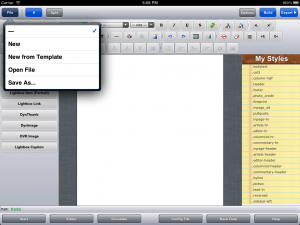
Ryuzine Writer (formerly Ryuzine Machine)

1. Fixed WYSIWYG toolbar and button display error for Opera 11.x browsers (Opera 12.x is not supported)

2. “Add Device” dialog OS options fixed and updated for Windows 8 and iOS 5+

3. New Device Profiles:

a. iPad 2/3

b. Samsung GalaxyTab2 10.1

c. HP Touchpad

d. iPhone 5

e. Nokia Lumia 920

f. Microsoft Surface RT

g. Microsoft Surface Pro

4. Fixed Simulator “browser view” for Windows Phone device profile.

5. “bannerad” element renamed “appbanner” to prevent name/class collisions with other bannerads or ad scripts

6. NEW! PHP File Operations when running from localhost development server for Open/Save files

7. Simulator now fixed for Firefox browser.

8. Experimental compatibility with Internet Explorer 9 & 10 (still has minor UI problems but functions work)

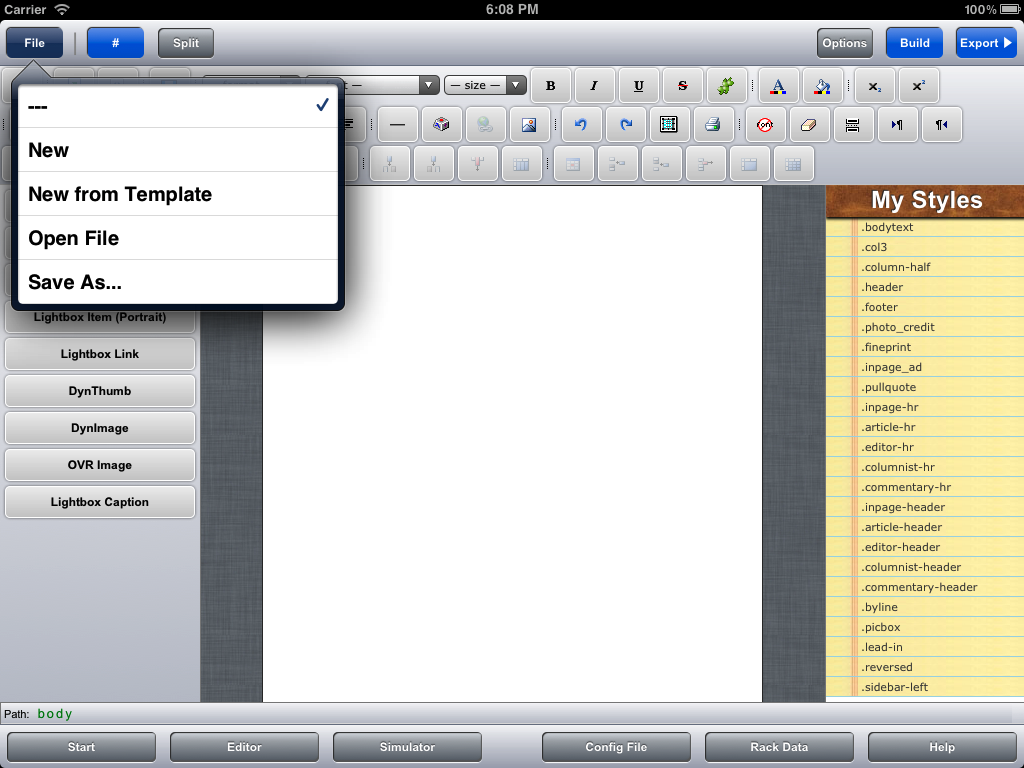
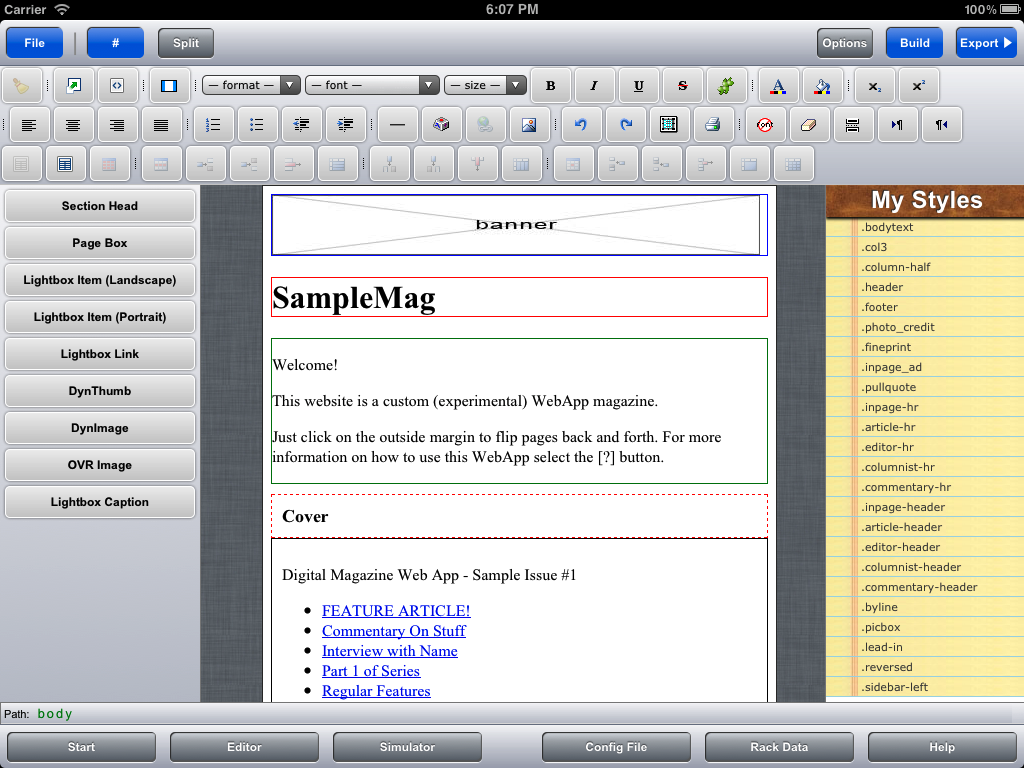
9. UI completely redesigned to be more intuitive, clean, and increase work space.

10. Disabling WYSIWYG editor and running webapp offline (no web server) no longer triggers Xinha warning dialog.

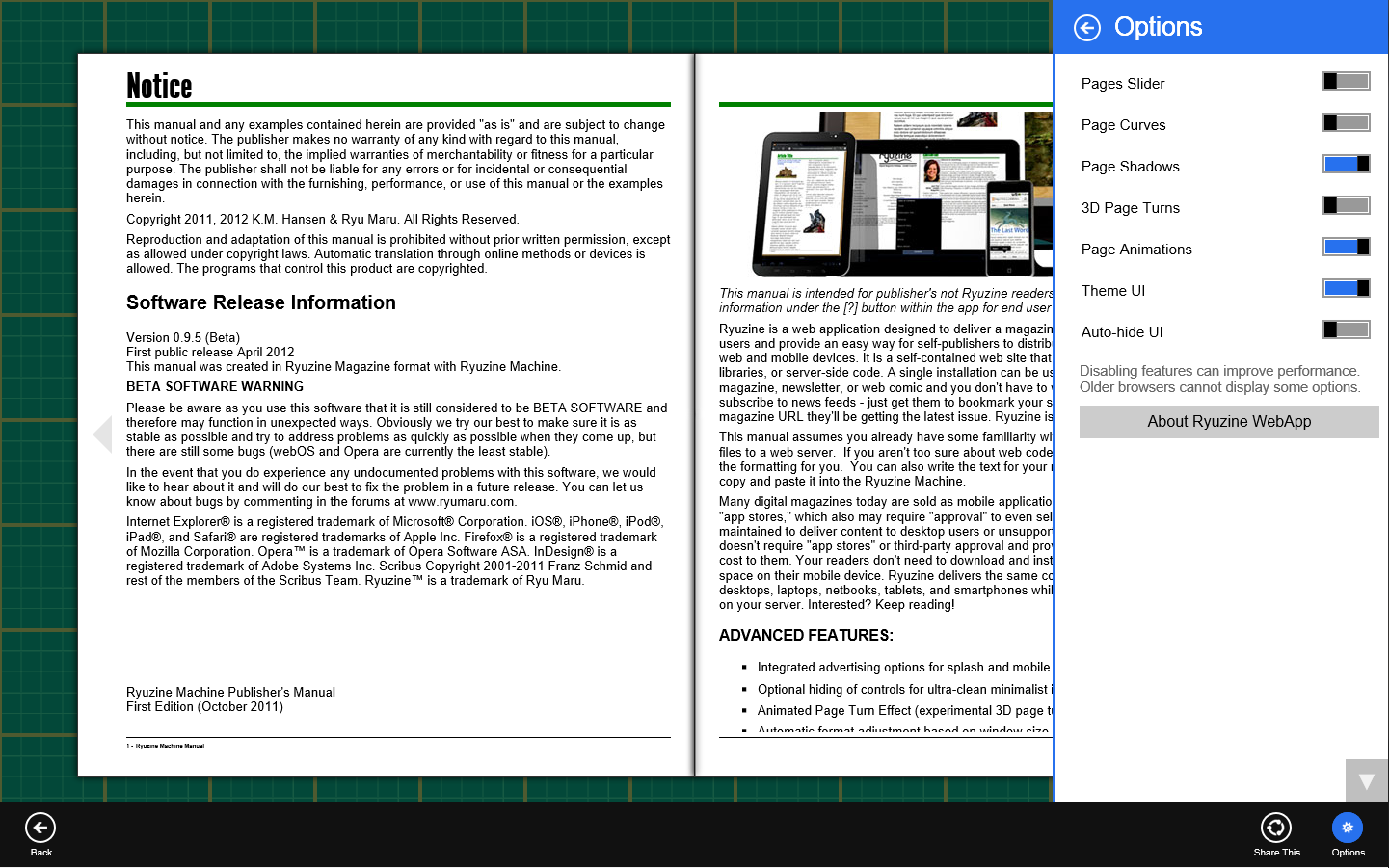
11. NEW! Options Panel allows you to change config file setting within webapp (retained in cookie file)

12. Ryuzine Writer can now use the same themes as Ryuzine Reader (all the themes were rewritten)

13. Simulator now includes Anders Tornblad’s “addTouch” script for multi-touch simulation on desktop systems (note: the “addTouch” script is still considered experimental and has some usability issues)

14. NEW! “Start Page” with shortcut buttons to common starting tasks.

15. WYSIWYG Full-Screen editing now actually fills browser (and if browser if fullscreen is true fullscreen editing)

16. NEW! Build Ryuzine Configuration Files

17. NEW! Build & Edit Ryuzine Rack Data Catalog Files

18. Improved Split-View Coding Mode (auto-splits horizontally/vertically based portrait/landscape or choose manual buttons)

19. NEW! Load URLs in the Simulator (to check mobile view of Ryuzine publications already on the web, for example Ryuzine Press Editions)

20. NEW! Load Ryuzine Files directly into the editor (no need for “source files” anymore)

21. NEW! Test Configurations and Issue-specific styles in the Simulator before putting them in external files.

22. NEW! Build Package option (req. PHP File Operations) bundles publications into downloadable ZIP files.

23. NEW! Issue-specific style link imports with file and is used in WYSIWYG editor.

24. Experimental “Mobile Mode” UI for Android 3+ and iOS 5+ devices (it’s still has some bugs so it is not recommended for production use).

Ryuzine Rack ( NEW! )
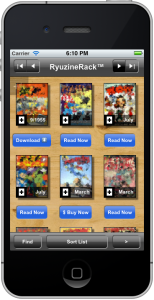
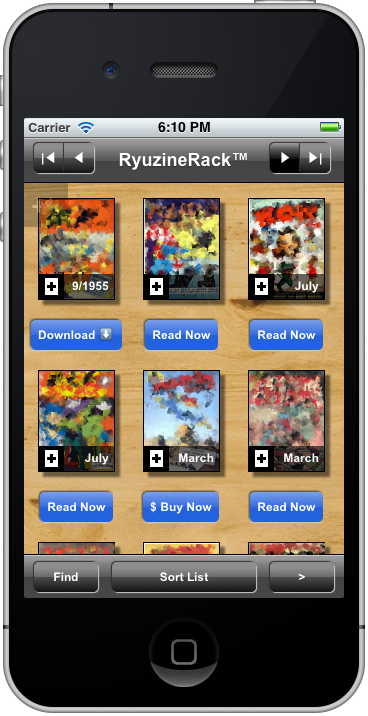
* An intuitive rich app experience

* Auto-generation of promotions or use your own custom banners

* Not limited to Ryuzine media – link it to any type of content you want to promote virtually anywhere.

* Grid, Detail List, and Simple List viewing options

* Automatic, adjustable pagination of search results

* Deliver high quality images to high-density displays

* Uses plain HTML files and HTML Tables as catalogs instead of a database

* Unlimited custom catalogs!  Use one for each year, or support multiple languages, or one for material on your site and other catalogs for content on your friends’ sites, however you want to divide it.

* Responsive design automatically adapts to different screen sizes and orientations.

* Uses the same configuration files and themes as your Ryuzine publications for seamless integration

Ryuzine Press Plugin for WordPress

Rewritten, simplified, bug-fixed, and updated.  Getting the Ryuzine webapp into the plugin is now a simple “one-click” install.  You’ll need to deactivate the current version and trash it and then upload and activate the new version (there is no automatic upgrade path from the 0.9.5 plugin to the 0.9.6.0 one).  Download (90KB)

* Fixed theme targeting (previous releases were not targeting BlackBerry Tablets or Windows Phone 7.5).

* Added Windows 8 Metro/Modern theme targeting.

* Switched to new client-side dynamically generated UI (faster server response)

* Ryuzine Reader installation simplified to a single button click (bundle now includes all addons and themes so you do not have to install them separately).

* iScroll support added

* Light/Dark base UI selection

* Ryuzine Rack replacement for automatic Archive page

* Ryuzine Rack Builder allows additional newsstand content and catalogs to be included.

* New shortcode for Ryuzine Rack  cover thumbnail can also be used to place cover background image on Edition

* Articles List now optional on auto-generated covers.

* Masthead is now optional for auto-generated covers and splash screen.

* Page Slider option for in-app page navigation

* Configuration tab for RyuzineRack “Media Type” and button text and “Category” names

* Comic Easel support updated (the small hack, though, is still required)

As noted above we’ll be updating the online documentation for publishers with all the details soon along with an updated online demo.  But there’s no reason to wait, you can go get it for yourself right now!
MCBA FallCon

Thanks to Jon Sloan (creator of the Sa-Bom Jim comic) for inviting Ryu Maru to join him at his table at MCBA FallCon, and thanks to everyone who stopped by to learn about the Ryuzine webapp!

We were showing both the current version of Ryuzine Press in use on Jon’s web site and a preview of the next releases of Ryuzine, Ryuzine Press, RyuzineRack, and Ryuzine Machine, using Jon’s art as samples to show how they work.  The update is still slated for release before the end of October, but current version content will be auto-updated to the new version format when you drop in the new folders, so don’t let the impending release stop you from grabbing the current versions of the Ryuzine family of webapps and start publishing your content for a mobile app audience.

Which Ryuzine Is Right For You?

There are two paths you can take with Ryuzine as a publisher.  One is to create “stand-alone”/downloadable publications, the other is to create “hosted” publications from a blog.  The table below should help you figure out which is right for you:

 Stand-Alone Blog Hosted
Authoring Ryuzine Machine installed on localhost web server. Ryuzine Press plugin and WordPress post editor
Reading Ryuzine webapp Ryuzine webapp installed inside Ryuzine Press plugin
Environment HTML Web or FTP* server PHP+SQL Server with WordPress 3+
Offline Package as archive for download Not possible
Title Support Multiple Titles in a single Ryuzine installation. Single title works best, multiple titles require using oldest post for covers.
Issues per Install Unlimited Unlimited
Configuration Each issue can have its own config file All editions share one configuration
Download Ryuzine PDK Ryuzine Press Plugin
Documentation Ryuzine Machine Manual Ryuzine Press Manual

* If packaged as archive can be hosted on FTP server as a downloadable file for offline reading.

Both the stand-alone and blog hosted methods use the exact same Ryuzine reader webapp.  That means you can use the same Add-Ons and Themes and you can also offer both stand-alone and hosted publications from the same server (in fact the publisher’s manuals linked to above demonstrate this – they are both on our website, but one is a stand-alone publication and the other is blog hosted).

Sneak Preview

Those in attendance at last night’s presentation got a sneak preview of what’s in store for the next version of Ryuzine.  Well, now that the cat’s out of the bag here are the high points of what to expect in version 0.9.6.0 Beta:

  • Over a dozen issues fixed
  • Support for iScroll 4 (implemented as an optional add-on)
  • Easier updating of publications (no longer need to regenerate from source files)
  • UI is now dynamically generated
  • Support for Internet Explorer 10 and BlackBerry 10
  • “Ryuzine” files can now be edited as “Source” files
  • Choose between “Table of Contents” panel or “Page Slider” style navigation
  • Updated Themes
After this next release we will also be providing “Komix Kits” – each will be a pre-formatted, pre-configured stand-alone Ryuzine publication and all comic creators will need to do is download the one for the right number of pages and binding and drop JPEG files of page scans into the images folder.  Then just zip them up for download distribution or upload the kit folder to your website.  Publishing Ryuzine webcomics will be that easy.
Ryuzine Machine is also undergoing a massive re-write!  In addition to a number of bug-fixes it will no longer be only for “webkit” browsers.  Firefox 11+ is now supported, and there is experimental support for Internet Explorer 9 and 10.  Some other additions:
  • Completely redesigned User Interface
  • Experimental “Mobile Mode” for use on select Android and iOS devices
  • WYSIWYG Editor support on select mobile devices
  • True Fullscreen editing mode (if browser can run fullscreen)
  • Improved “split view” editing mode (now both horizontal and vertical)
  • Generate custom Ryuzine Configuration Files
  • Test custom configuration files in the Simulator
  • Load URLs in the Simulator
  • Build RyuzineRack data files (more on RyuzineRack below)
  • Expanded In-App “Help” information with “Options” panel
  • Ryuzine Machine UI can now be themed (same theme files as publications)
  • Updated Simulator devices

And last but not least it will introduce our new “Ryuzine Rack” (optional) news-stand style webapp.  It is built on the same architecture as your Ryuzine publications, can use the same configuration files and the same themes for seamless integration, and offers publishers a far cooler way to provide a landing/portal than a page of text links.

It uses a simple HTML table for the catalog, so it doesn’t require a database backend. Many different types of content – including downloads and print publications – can be showcased.  It’s loaded with options for the publisher and we’re confident Ryuzine Rack will have your readers coming back.  Of course there’s more, but you’ll have to wait.

If all goes as planned the next version will be released in September  October.  The Ryuzine Press Plugin update should happen around will happen at the same time, including a WordPress integrated version of RyuzineRack that replaces the built-in custom post-type archive page for your Ryuzine Press Edition publications.  But don’t let that stop you from downloading the current version – because any publications you create can be easily updated to the next version.

[ post updated 15 September 2012 to reflect new release schedule and add information about the Ryuzine Machine update ]

Join the Conspiracy!

Tomorrow night there will be a brief presentation of the Ryuzine family of products and using them to create digital comics for desktop and mobile devices as part of the monthly meeting of the International Cartoonist Conspiracy, Minneapolis Cell.
Where: Big Time Attic, 1618 Central Avenue NE, Suite 216, Minneapolis, MN 55413
When:  2 August 2012 @ 6:00 PM

There will also be a comics “jam session” immediately afterwards downstairs in Diamond’s Coffee Shop.

Both the presentation and jam session are open to anyone who is interested.  Hope to see you there!

Printing Ryuzine Publications

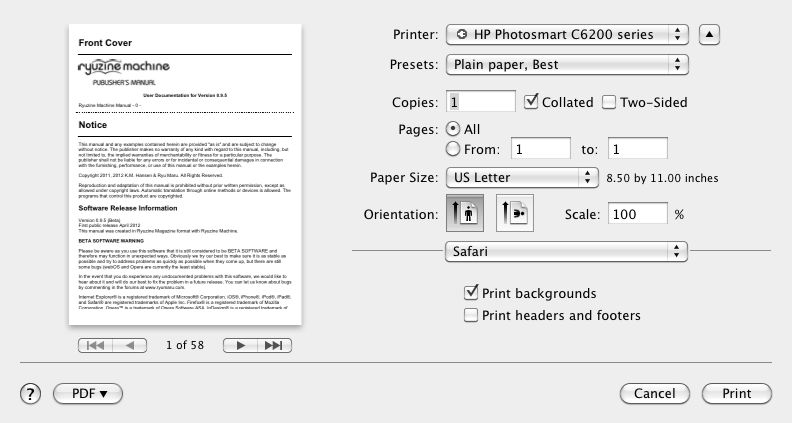
Ryuzine publications are not really intended for printing, the whole point of the format is to create digital magazines or comics, not paper media versions.  That said, you can print out a Ryuzine publication, but the results will vary depending on how the publisher chose to lay out the pages.

You will need to go to the “Views” panel within the Ryuzine webapp and select either “Continuous” or “HTML Only” (depending, respectively, on whether you want to try and retain as much of the actual page layout as possible or if you really just want the text and images).  If you leave the “Views” setting on “Magazine” format, at best, you’ll only get a printout of the cover.

Then go to your web browser’s “Print” dialog.  You should also see a preview of how it will print.  Since each Ryzine page can be, like any web page, of infinite length it is likely the content on many pages will require more than one physical page to print.  You can make the pages fit a bit better by turning off the header and footer most browsers add to each page, and some browsers give you the option to “scale” the page for a better fit.  However, no matter what setting you use you will most likely not get a printed version you could bind into a physical book that looked like the digital version.

Pages with very little content and/or “full bleed” tiled background images may print as very short pages (the pages only “expand” in length as much as needed to show all the content, so empty – or nearly empty – pages are not very long).  Remember that printing to paper is not the intended output for Ryuzine publications.  They are intended for viewing in a web browser.

Note: the aforementioned information was included in the “Help” documentation within the webapp up to version 0.9.4 but was dropped in 0.9.5 even though the webapp still contains a print stylesheet.

Given that publishers have no control over what size of paper, resolution, or scale at which someone may try to print the publication it’s probably not worth the effort to try to create page layouts that will print in a specific way.  The print stylesheet is only very generally coded to fill the available space on the paper, however large or small that may be, and does not force page breaks after each Ryuzine page (in other words content from two pages may end up printed on one sheet).  It is not coded for printing to a specific size of paper and it will only utilize the “fallback” images unless you specifically add a print media query to your issue-specific stylesheet.  The “fallback” images are typically the same ones used in your two-page spreads at 1024 pixels wide.  Using that layout size as a guide it yields individual pages of 512 x 646 or 512 x 748 (if using “fillpad” option).  A sheet of US Letter paper @ 72 dpi is 612 x 792 and A4 is 595 x 842 so in theory any content which fits in a single, non-scrolling Ryuzine page when viewed in 1024 pixel wide two-page spreads should print on a single sheet of paper as well.

If you are a publisher and it is really important to you that people have a printer friendly version of your publication that will print exactly as you want it, you should build a PDF version in page layout software (such as QuarkXpress, InDesign, or Scribus) and provide a link to the alternative PDF version.

Ryuzine Press Plugin Is Here!

Ryuzine Press

Ryuzine™ Press is a new FREE, open-source plugin for WordPress 3.0+ which “bridges” your blog posts to a Ryuzine webapp installation.

The plugin turns your blog back-end into the authoring program for instantly publishing unlimited Ryuzine Press “Editions.”  Each edition is made up of a curated selection of blog posts, which are ported into the pages of the Ryuzine webapp.  You’ll be able to deliver your content to both desktop and mobile users in a dynamic, touch-enabled, digital magazine format.

Ryuzine Press is not a WordPress theme.  Your Ryuzine Press Editions exist alongside your blog, not in place of it.  Your readers will enjoy the convenience of cloud-based content with the engaging experience of a mobile app.  You will enjoy instant publishing optimized for mobile users without having to deal with app stores.

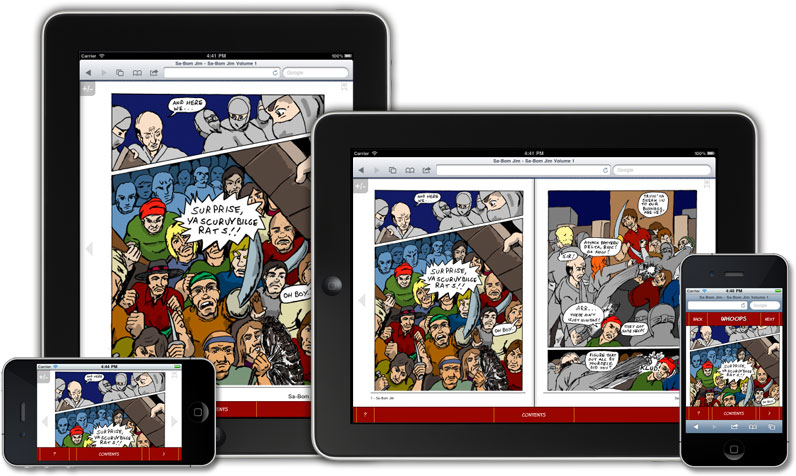
(artwork by Jon Sloan)

The Ryuzine Press plugin also works with the popular ComicPress 2.9 theme currently used by an estimated 25% of all online comics.  Your existing archives can easily be assigned to Ryuzine Press Editions, offering your readers a realistic, page-turning comic book reading experience.  Plus, of course, Ryuzine supports right-binding for “manga” style titles too!

FIND OUT MORE ON THE PLUGIN’S PRODUCT PAGE

Disclosure: Ryuzine Press Plugin requires the closed-source Ryuzine webapp be installed on the same server.  It is free for non-commercial use, and for commercial use you only need to purchase an affordable, flat-rate license for each title (not edition) you publish.  Due to the differences in the licensing the plugin and the webapp are not bundled together for download.

“Sa-Bom Jim” Artist @ MarsCon

Sa-Bom Jim comic book artist and creator Jon D. Sloan will be appearing as an Artist Guest of Honor at the MarsCon convention in Bloomington, MN from March 9 – 11th!

Sit in on panels moderated by Jon, swing by to say “Hi” and purchase a signed copy of his trade paperback “A Watcher In Our Midst.”

Prices at the door are $60 for adults, $25 for children ages 6-12 for all three days; $25 (adult), $10 (child) for Friday only, $35 (adult), $15 (child) for Saturday only; $25 (adult), $10 (child) for Sunday only.

Full details available at www.marscon.org.