Category Archives: Featured

Ryuzine Press 1.2 and Ryuzine Reader+Rack 1.1 Released

Hey, it’s been a while hasn’t it?  Five years in fact since the last update.

Well, this afternoon Ryuzine Press 1.2 and Ryuzine Reader+Rack 1.1 both dropped.

Ryuzine Press 1.2 fixes an issue when you install the Ryuzine webapp from scratch (instead of just updating it) where the unzipped folder wasn’t getting renamed properly.  This update also adds support for the ComicPost plugin.

Ryuzine Reader+Rack 1.1 updates the built-in Social Widget to remove several defunct social platforms and adds support for sharing to Threads, Bluesky, and Mastodon. Oh, and the “iScroll” add-on was removed because it has been abandoned and doesn’t work right anymore anyway. So if you enabled the “iScroll Add-on” in your installation you’ll want to disable it or you may experience a JS stop error.

For developers the other big change is that the Ryuzine projects are now in “maintenance and compatibility” status. No new features are planned, just keeping the webapp and plugin working with their current feature set. If you want to contribute fixes to the projects it’s a lot simpler now as they’ve been converted from GitHub subtrees to just FOUR monolithic repositories.

Ryuzine Press 1.1 Released!

Ryuzine Press version 1.1 is now available!  If you already have version 1.0 of the plugin installed you should see the update notice in WordPress.  New installations can grab the plugin ZIP from here: https://github.com/ryumaru/ryuzine-press/archive/1.1.zip.

Please note that after the upgrade you will need to reinstall the Ryuzine Webapps!

a. from the Ryuzine Press -> Tools -> Ryuzine Update page.

b. If your server file permissions won’t allow that you will need to manually upload the unzipped webapp “ryuzine” folder into ~/wp-content/plugins/ryuzine-press/

While the licenses for Ryuzine Press and the Ryuzine Webapps are technically compatible they are no longer being bundled together due to their combined size exceeding some user’s PHP server file size limits.  It is still possible the the webapps might exceed them, in which case the webapp would have to be installed via FTP.

Also note that the Ryuzine Webapp version will still be 1.0, the plugin and webapp versions are not always the same.

While this was primarily a maintenance release to ensure compatibility with WordPress 5.5 and PHP 7.4 there were some other code fixes and changes, including that both the plugin and the webapps are now updated directly from the GitHub releases rather than from the Ryu Maru website.  Here is the full changelog for version 1.1:

  • Requires PHP 5.6 or later (tested up to PHP 7.4.8)
  • Version check updated to also check PHP
  • Version check no longer produces unexpected characters on activation.
  • Activation now auto updates database with new options.
  • Plugin now updates from GitHub releases using WP update system.
  • Plugin Update Checker updated to version 4.10
  • Fixed “undefined index” error in Rack Builder
  • Replaced deprecated STYLESHEETPATH constant with WP “get” function.
  • Auto-creates “Ryuzine” Rack Category. If you delete it the category is automatically restored on page reload. This is to prevent undefined array offset PHP errors if no default category is defined.
  • Fixed widget undefined index errors.
  • Options Page
    • Options sanitization fixed
    • Reset to Defaults checkbox replaced with button method
    • Default Rack Category is now auto-populated with “Ryuzine” type.
    • Fixed issue where “localization” setting was stuck on zero (off).
    • Fixed issue where admin script caused unknown index PHP error on Ads tab.
  • Tools Page
    • Fixed issue where “Check for Updates” button would not turn into
      “Install Ryuzine Webapp” button if version check found an update.
    • Updated version check and update to pull from GitHub releases
      and automatically delete previous Webapp installation.
  • Changes to Templates
    • single-ryuzine.php:
      • Added filter to remove notes at bottom of every page.
      • Added filter to prevent posts being hidden from loop
    • archive-ryuzine.php: separate Share Bubble sidebar code added.

Ryuzine Press in WordPress 5

Ryuzine Press 1.0 works as expected in WordPress 5 (tested in 5.0.2).  If you upgrade to WP 5 your existing Ryuzine Press Editions should remain unaffected.  We updated one of our development server WordPress installs from version 3.8 directly to 5.0.2 without any problems.

In a new installation, however, you still have to make sure to go through the Ryuzine Press > Options and “Save” even if you didn’t make any changes, just to make sure all the entries are written to the database.  You should always do this after a Ryuzine Press version update as well, in case any options have been added or changed since the previous install.

Note that Ryuzine Press 1.0 still needs to use the TinyMCE “Classic” post editor.  If you upgrade from an earlier version of WordPress or install the “Classic” editor plugin there should be no problem.  Ryuzine Press will still be able to use the classic editor even if you’ve set other posts and pages to use the new Gutenberg editor.  In a new WP 5 installation you will probably have to install the “Classic” editor plugin.

There IS an update to the Ryuzine and Ryuzine Press in the works, though the release keeps getting pushed back, but the currently available version will still work until the update becomes available.

Next version of Ryuzine?

“When will the next version of Ryuzine be released?”

This is a question that has come up a couple of times recently, especially from those who’ve noted that none of the files on GitHub have been updated since August or September of 2015.

Well, the simple answer is, “when it’s necessary.”

We don’t follow the software development idea of “release early, release often.”  Ryuzine updates have historically been driven by updates to the web browsers in which it runs, either to fix something the browser update broke or to take advantage of a new browser feature.  Since the release of Ryuzine 1.0 we haven’t become aware of any browser updates breaking the webapps, nor have any “killer” features been introduced that we think Ryuzine should take advantage of.

Furthermore, Ryuzine 1.0 heavily modularized the webapps, with more formerly integrated features now made optional in add-ons.  The flexibility of the Add-Ons API would allow the webapps to utilize new browser features without requiring the core code to be updated.

In conclusion: If it ain’t broke, don’t fix it. 😉

Ryuzine + Chrome + Mac = System Freeze [FIX!]

There is an issue being experienced by some users of Chrome on Mac OS X when viewing a Ryuzine publication.  What happens is the publication displays with glitchy graphics and any attempt to interact with it will cause the entire screen to glitch and the system to freeze, requiring a hard reset.

This is a known, recurring bug in Google Chrome involving hardware acceleration on some versions of Mac OS X, beginning with Mavericks.  Note that this is not a problem with Ryuzine or exclusive to viewing Ryuzine publications.  Other hardware accelerated web content can also trigger this problem.

Here is the work-around to prevent it from happening in the future:

  1. Type “chrome://settings/” in your browser’s address bar.
  2. Scroll to the bottom and click “Advanced Settings” to expand it.
  3. Find the “System” section and UNCHECK the “Use hardware acceleration when available” if it was already checked or CHECK it if it wasn’t (in other words try it both ways).
  4. Restart Google Chrome
  5. Return to the Ryuzine that crashed your system, it should no longer cause screen freezing.

However, the display of the Ryuzine publication may still be very blocky/glitchy!  This has also been observed in Google Chrome for Android.  Here’s how to fix that:

  1. Open the “Options” panel and look for “Depth FX” in the Add-Ons section.
  2. Make sure the switch is set to “OFF”
  3. If it’s still glitchy turn “Page Shadows” off as well.
  4. If it’s still glitchy turn “3D Page Turns” off too.
  5. The absolute last ditch effort is to turn off “Page Animations” as well.

You may need to change these settings for multiple publications if they are on different domain servers.


Ryuzine 1.0 is HERE!

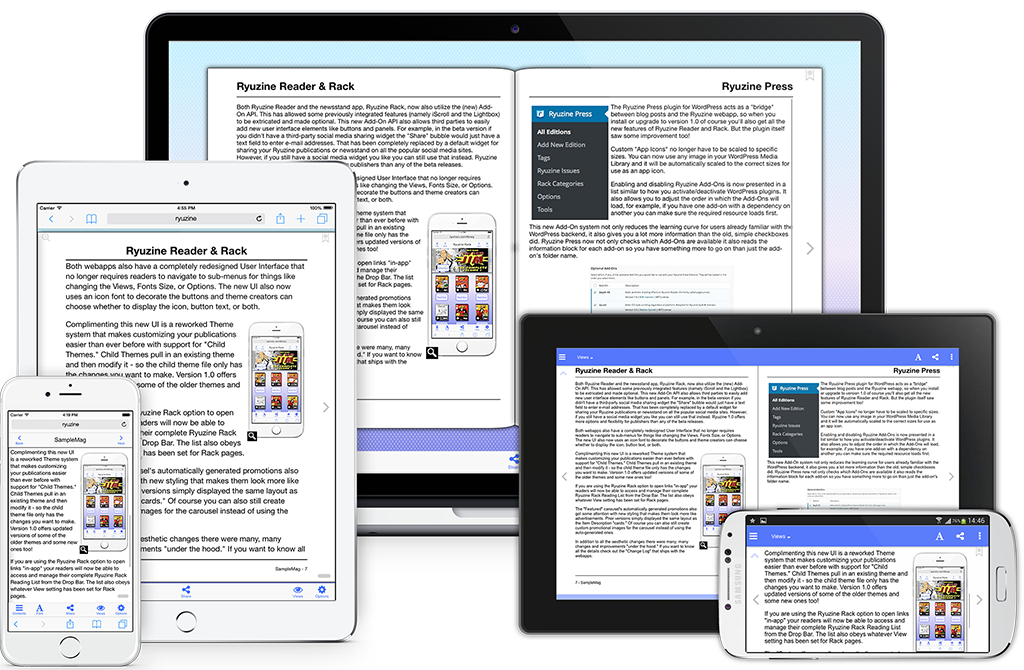
Reader_1x_Promo

It has been a long time in the making, but Ryuzine 1.0 is finally HERE!  Not only is is practically a complete rewrite of all the Ryuzine apps, they are now completely OPEN SOURCE and FREE for personal and commercial use.

DOWNLOAD PUBLISHERS KIT

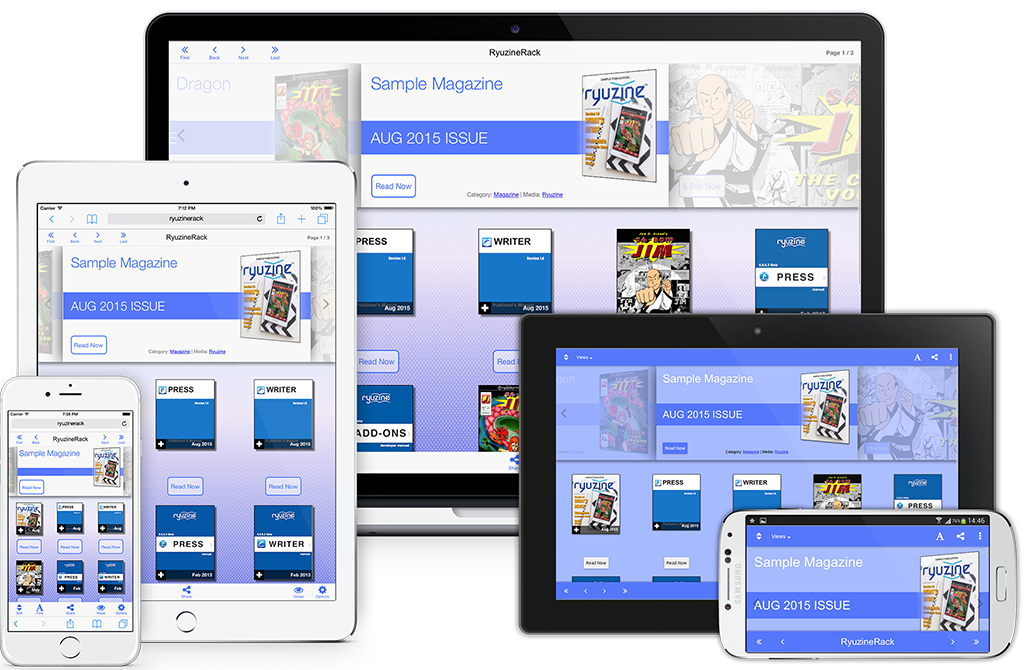
Rack_v1_Promo

Almost 100 Changes!

This massive update has been in the works since February 2014 and fixed or changed so many things we decided to just skip over a bunch of “beta” versions and jump right to version 1.0 – in total there were nearly 100 changes to the three Ryuzine webapps and the Ryuzine Press plugin.  For more details make sure to check out the individual product pages:

ryuzine-icon-02
Ryuzine Reader
ryuzinewriter-icon-02
Ryuzine Writer
rack-icon-02
Ryuzine Rack
ryuzine-press-icon-02
Ryuzine Press

Writer_Laptop_1024

TRY ONLINE DEMO

The Write Stuff

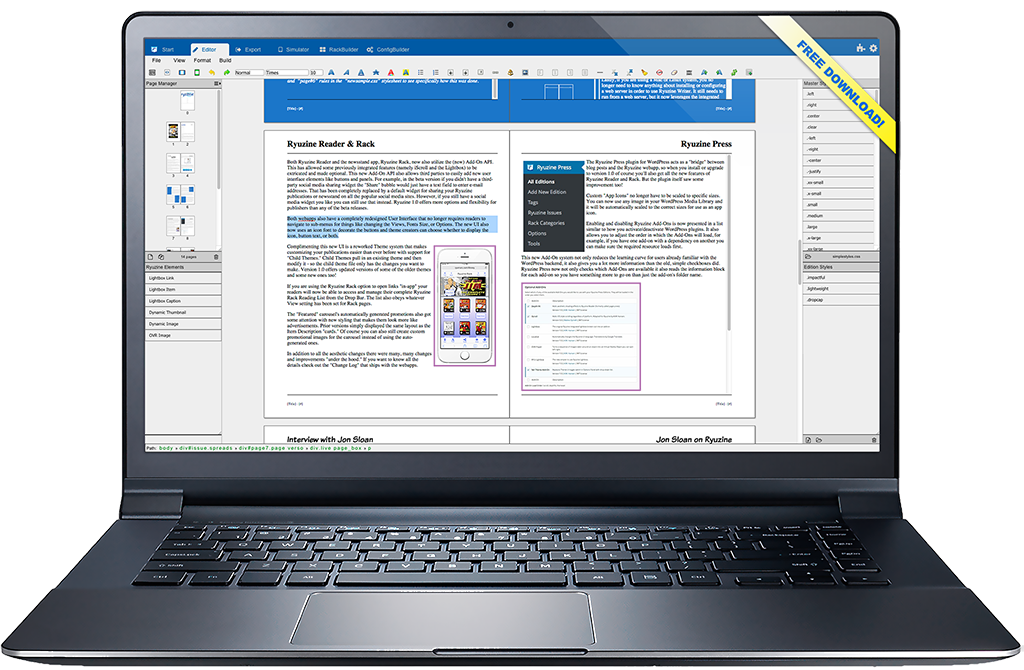
The biggest changes came to our Ryuzine Writer authoring webapp bringing it more in line with the features you’d expect from a page layout program.  Not only is there better handling of styles and stylesheets, the new “Page Manager” makes it easy to add, delete, and rearrange the pages of your publications.  The “RackBuilder” can also now preview newsstand catalogs in the Simulator, the Simulator has been updated with profiles for newer, popular devices, and when everything looks the way you want the “Package Builder” has more and smarter options than every before.

The Ryuzine Press plugin has also seen some improvements that make it easier than ever to turn curated blog posts into engaging Ryuzine Press Edition publications.  The plugin has also been updated and tested with WordPress 4.3.  The Ryuzine Reader and Ryuzine Rack webapps are now bundled with the Ryuzine Press plugin download from our website – you are no longer required to do a separate installation of the webapps.

DOWNLOAD PLUGIN

Publishers can learn all about how to use either the stand-alone Ryuzine Writer or the Ryuzine Press plugin by reading the manuals – which were written WITH their respective programs and presented in Ryuzine format:

Press_cover_v1
Ryuzine Press 1.0 Publishers Manual
Writer_v1_Cover
Ryuzine Writer 1.0 Publishers Manual

Refined User Interface

All of the Ryuzine apps now have a much simpler user-interface that no longer requires users to “slide” through multiple toolbars to get to the button they want.  Those buttons all now use an “icon font” instead of images for crisp display regardless of the device resolution.  Ryuzine Reader has better swipe detection and the “Page Slider” has also been improved.

Updated Phone UI Nav Bar

Updated Phone UI Nav Bar

New Themes

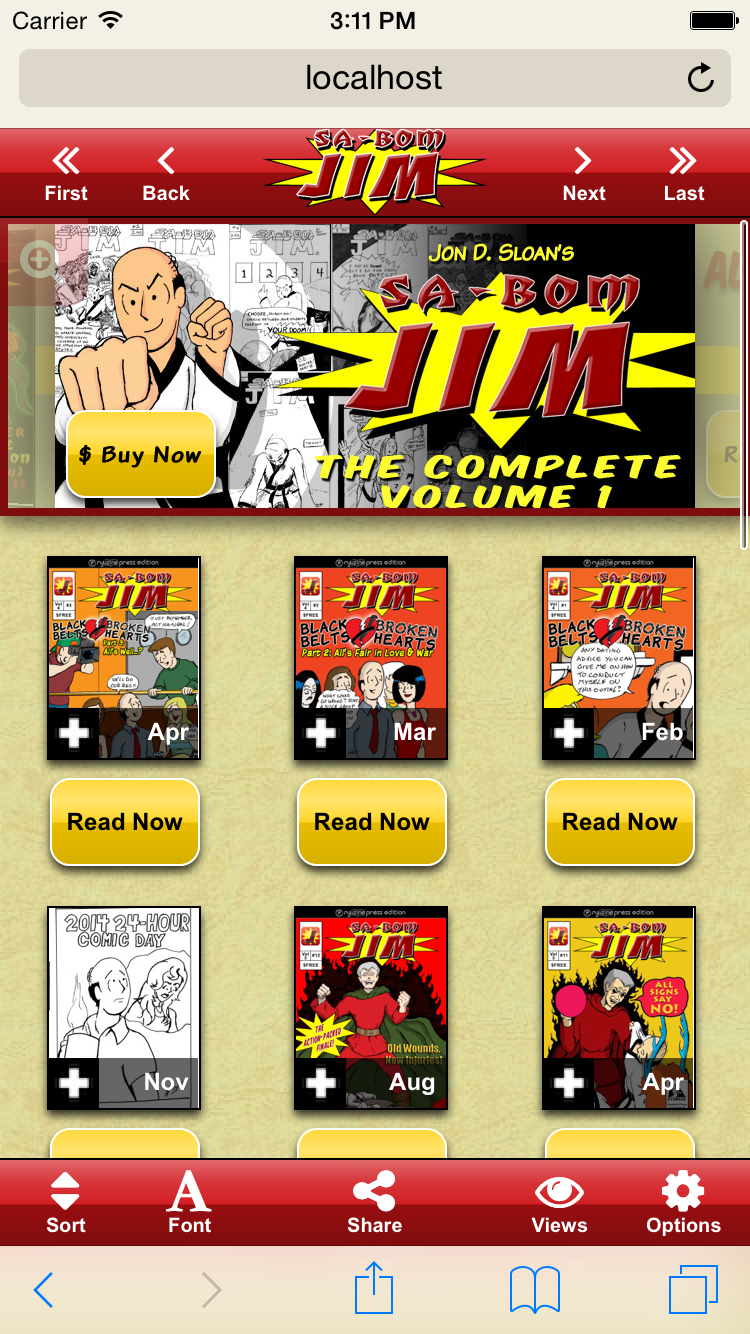
Ryuzine Rack with custom theme and branding.

Ryuzine Rack with custom theme and branding.

All the changes to the User Interface required rewriting the existing themes and creating new ones.  The “Urban” Windowsand “Mobile Fruit” iOS themes got much-needed updates, and Android gets the new “Paperbot” theme.  Some of the older “Platform Themes” have been dropped since they not only looked outdated but few people even use those devices anymore.

Ryuzine Writer also now gets its own themes and theme creators can choose whether or not they want to support Writer with their themes or not.  Moving the Writer styles into their own stylesheet allows the Reader/Rack themes to be simpler and the smaller files load and render more quickly than the old themes did.

The theme system now also supports creating “child themes” that build upon another theme, so you don’t have to write styles for everything in your custom themes.

New Add-On API

In the beta versions only Ryuzine Writer had optional add-ons.  In version 1.0 the Add-Ons API has been completely rewritten and is now part of both Ryuzine Reader and Ryuzine Rack too!  Features that were previously “baked in” have been broken out into optional add-ons and it’s never been easier to extend and customize Ryuzine.

Free & Open Source

One of the biggest changes to Ryuzine is that now everything is completely open source.  Ryuzine Reader, Writer, and Rack are released under the MPL 2.0 license, Ryuzine Press is under a GPL 3.0 license.  All the code is available for developers in our GitHub Repository.  Non-Developers can continue downloading preconfigured, bundled versions from our website.

Ryuzine 1.0 Update Later in 2015

ryuzine_icons_2015

This post is to reassure you that we haven’t forgotten about the promised major update to the Ryuzine webapps – in fact they are well on their way for a release sometime later in 2015!  Instead of releasing the incremental changes this upcoming release will jump right to version 1.0!

Above you can see the app icons have also undergone a visual overhaul, but the webapps themselves are all undergoing massive rewrites – with so many changes and new features the change-log already goes on for pages.  What sort of changes?  Well, for starters the User Interfaces have all undergone a lot of simplification.

User Interface Updated

You’ll no longer need to hit the “More”  and “Less” buttons to slide controls left and right – all the buttons are now presented on one Navigation Bar:

Updated Phone UI Nav Bar

Updated Phone UI Nav Bar

Behind that “Share” button is also a completely rewritten social media sharing widget, and in addition to still being able to drop in your own widget the third-party “Add-Ons” API from Ryuzine Writer has been completely rewritten and will also available in both Ryuzine Reader and Ryuzine Rack.  That means adding your own custom dialogs and panels, but previously built-in features like the “Lightbox” are also going to be broken out into optional add-ons, making it easier for third-party developers to expand or replace them.

Page Manager & More

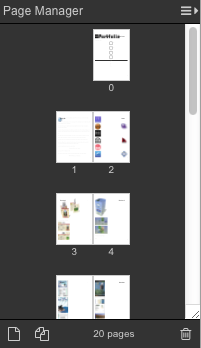
One of the biggest changes coming to Ryuzine Writer is the new “Page Manager!”  Here’s a look at it in action:

"Page Manager" panel in Ryuzine Writer's Editor

“Page Manager” panel in Ryuzine Writer’s Editor

 Professional page layout programs used in the print media industry allow the designer to easily see how their pages lay out in relation to one another, and easily add/delete and drag-to-reorder the pages.  All of those features will be available in the new Page Manager panel, as well as the ability to change the size of the page thumbnails, show individual or facing pages (either left or right bound), and a “continuous” view in the editor that is a much better representation of the same view within Ryuzine Reader.

The editor will also support “Master Styles” which can be changed without having to refresh the browser and reload Ryuzine Writer.  Issue-specific styles can also be loaded, previewed, and unloaded within the editor.  If you are using PHP File Operations in the editor the Image Insert no longer creates a pop-up window that may be blocked by browsers.

The “Package Builder” has also undergone a major rewrite and will also offer the option of packaging into a plain folder instead of a ZIP archive.  This is useful if you want to make manual additions or changes to the package or plan to immediately FTP it up to a website for viewing rather than offering it as a downloadable publication.

We could literally go on and on listing everything in the change-log but we’ll hold off until the actual release.

Ryuzine is Going Open Source!

We’re still looking through the various open source licenses to find the one that fits us best, but you read that correctly – version 1.0 of all the Ryuzine webapps will be released under an open source license.  This will completely replace the current  Commercial and Non-Commercial Use licenses.  That means with version 1.0 there will no longer be a requirement to purchase a license for commercial use!  ALL of the source code will eventually be available on GitHub, with each webapp and add-on in its own repository.  Once that has happened anyone and everyone can contribute to making Ryuzine even better!  Since it will be a little confusing for non-developers to grab and assemble all the files from multiple repositories, www.ryumaru.com will remain the place to download the pre-packaged webapps.

So When Can You Get It?

One of the factors in deciding to take Ryuzine open source is that, since the beginning, there has only been ONE developer working on it as a side-project, even as the “family” of webapps has grown.  The first step was a “code audit” to make sure all the code that will be released CAN be released under an open source license.  Then there were all the UI changes, updating themes broken by the UI changes, bug fixes, adding new features, breaking built-in functions out into add-ons, rewriting the Add-On API, and lots and lots more that still needs to happen.  Our best guess is that it will be ready sometime in the Spring or Summer of 2015.  Until then you can still download version 0.9.6.7 of Reader/Rack and Writer and 0.9.6.8 of the Ryuzine Press plugin for WordPress.

+Comic Easel Autofix

If you have a WordPress powered site for a webcomic and have switched to the Comic Easel plugin and/or updated to ComicPress 4.x you may have noticed that your Ryuzine Press Editions that should include comics no longer include comic posts after the upgrade.

This is because Comic Easel uses a custom category type called “Chapters” that are only associated with the custom “comic” post-type.  Pages are assigned to Ryuzine Press Editions by being included in the same category as the edition, and since Comic Easel/ComicPress 4.x comic posts never exist in normal categories there is no way to assign them to editions without “hacking” the Comic Easel files to allow it.  Two different hacks are outlined in the Ryuzine Press manual, but now there is an (experimental) automatic fix!

Go get the latest Ryuzine Press ZIP file.  If you just want to patch an existing installation (which is likely if you’re reading this) all you need to do is overwrite:

~/wp-content/plugins/ryuzine-press/ryuzine-press.php

with the same file in the ZIP archive you downloaded.  You do not need to update the Ryuzine webapp, nor do you need to reinstall anything to the theme (unless you just installed ComicPress 4.x or a new child theme, then you will need to go to Ryuzine Press > Tools > Update Ryuzine  and install to your theme.  If the files are not in the currently active theme it will prompt you to install them).

What this does is check for the custom post-type “comic” and then checks to see if the “Comic Easel” plugin is activated and then attempt to automatically add the regular “Category” selector to Comic Easel so you can assign comics to a Ryuzine Press Edition.  Please be aware this is experimental, it may not work if Comic Easel initiates later than Ryuzine Press, it won’t work if you have set a different custom post-type in the Comic Easel settings.  If this auto-fix doesn’t work for you then you will need to do the manual hack outlined in the Ryuzine Press Manual, which unfortunately needs to be repeated after every Comic Easel update.  If the auto-fix does work for you it should continue to work even after a Comic Easel update.

If you are still using ComicPress 2.x you do NOT need this update!

Note: ComicPress and Comic Easel are developed by Philip M. Hofer (aka “Frumph”).  Please do not direct any bug reports or support questions to him regarding how Ryuzine Press works (or doesn’t) with his plugins and themes.

ePUB Export Add-On

Druck

We now have an experimental ePub Export Add-On for Ryuzine Writer!  You can now also export your Ryuzine publications to ePub 3.0 format with a couple button clicks.  You’ll need at least Ryuzine Writer 0.9.6.4 and the 21KB zip archive with the add-on itself:

>> GO GET IT HERE <<

Once you’ve got it installed and have PHP File Operations enabled the process goes something like this:

1. Compose or Load a Ryuzine file into the rich-text editor (you don’t even need to “Build” it if you aren’t also creating one in Ryuzine format).
2. Press the [ > ] button and then the [ ePub Export ] button.  The new Workspace loads.
3. Press the “Auto Fill” button to automatically populate the form with information about your publication.
4. Press the “Build” button and wait for a shiny, new ePub file to drop into your downloads folder.

Be aware that this is a version 0.1 “Alpha” release of this Add-On, so there are no guarantees.  Make certain you read the “Known Issues” in the README file bundled with the Add-On.  Files produced with it were tested in Azardi 19, ePubView 1.2, Adobe Digital Editions 1.7.2, and Adobe Digital Editions 2.0 on a Mac.  All of the files produced could be opened, however some would occasionally, randomly crash the latter two Adobe reader apps (still investigating why).  The .epub files produced are unlikely to validate but generally do not contain major errors that prevent them from being opened and read.  Also be aware that rendering of EPUB 3.0 format can vary greatly from one e-reader app or device to another, meaning it is highly unlikely the ePub version of your publication will look exactly like your Ryuzine version.

Got skills and want to help improve it?  We’ve set up a GitHub Repository for this Add-On at: https://github.com/ryumaru/epub-addon where you may find more recent stable and unstable versions.

UPDATE 2013-10-30 – updated to version 0.2 alpha which fixes a problem with form submission that prevented the add-on from building the epub package on servers running newer versions of PHP.  To update just trash/overwrite your existing file in ~/ryuzinewriter/addons/.

UPDATE 2015-08-30 – updated to version 0.3 alpha which is compatible with the new Add-On API for Ryuzine Writer v1.0.  It is included in the Ryuzine PDK download.

Five Tips for Building Better Ryuzine Publications

One of the cool features of the Ryuzine publishing platform is how you can create a traditional magazine or comic book reading experience through a web browser using nothing more than HTML5, Javascript, and CSS3 technologies.  But the best ways to leverage the format may not be readily apparent.  This article seeks to help you with building better Ryuzine publications that will work for both you and your readers, regardless of what device they prefer to use. Without further ado, here we go!


5. Don’t assume page order dictates the reader’s experience.

When you pick up a physical magazine you probably start at the front, see the Table of Contents, leaf through it, and if you ever do skip around it’s because an article you were reading (which probably broke over more than one consecutive page) was concluded in a column near the back. But you can’t assume that’s how someone will experience your Ryuzine publication (with the possible exception of webcomics, which really only work when experienced in the proper order).

Especially with Ryuzine Press Editions (which exist concurrently as blog posts outside the editions), but also for other publications where a specific page’s bookmark may have been shared, a reader may come into the publication almost anywhere. Ryuzine tries to help people get their bearings by always having a Table of Contents panel available, but you should consider each page of a Ryuzine publication is more like a miniature website unto itself – a sub-section that should only ever spill into another part of the publication if you did so for a reason (in our own sample magazine we show an article that is broken over sections, but the reason is the same as that used in print magazines – to lead readers deeper into the publication and to a page with advertising). As each and every page of a Ryuzine publication is theoretically of infinite length (just like any web page) there really is no technical reason to ever break a story over multiple pages.


4. Don’t go overboard on advertising.

Traditional magazine publishing has long been supported in large part by selling advertising space within the pages. You can place ads on pages in a Ryuzine publication just like you can in a print publication, but Ryuzine also incorporates some built-in web and app advertising options including a mobile style banner, a full-page “splash” ad, and an overlay “box” ad.

But don’t go overboard and make your readers wade through too much advertising to get to your content. The content should be the main focus and only include enough advertising to help cover your expenses in producing it. The ad model is a good fit for online publications given that people are accustomed to things being free (and advertising supported) online, but a site or publication that feels like it is “spamming” people with ads will chase the audience away.

Actually one of the best uses of Ryuzine may be situations where the entire publication itself IS the advertisement. For example using it to create a “sample” of a larger digital publication (perhaps in eBook format) or as an online sample of a print publication. It’s also a great format to adapt organization newsletters (which tend to be short and fast loading content in maybe 8 or 12 pages) or product sales brochures.


3. Don’t just duplicate print content.

If what you want is a digital version that is exactly like an existing print publication you’ll probably be happier with a PDF file. Your readers, however, may not be. Especially if they’re on a phone and have to zoom in and out and pan around just to read it. A Ryuzine publication uses a “responsive” layout that adapts to different screen sizes and allows users to adjust the font size to their personal preference.

You should think about how your publication will look when viewed on small screens and large screens and in both portrait (single page) and landscape (two-page spread) views. The “thisissue.css” file is where you can magically adjust the layout of your content to address the varied viewing scenarios.


2.  Don’t forget the “digital!”

Text and images can obviously be reporduced in a Ryuzine publication just like they can in print. But a Ryuzine publication, by being digital and online, can do things print media can’t. Leveraging the capabilities of the web browser is an important part of creating engaging content that will keep your readers attention, build your audience, and hopefully keep them coming back for more.

You can embed all sorts of “rich content” in a Ryuzine, either in the pages themselves or in the Lightbox Gallery. In fact the whole Lightbox feature was included exactly for this sort of use! Embed a YouTube video, an IFRAME with a linked website displayed in it, VR objects or panoramas, high resolution imagery. There are all sorts of ways you can enhance and expand the “magazine” content with dynamic and enaging WEB content.


1. Avoid running too long.

You’ve probably seen the abbreviation “tl:dr” online. It means “Too Long; Didn’t Read.” Especially on small screen devices a lot of text means a lot of scrolling, but there has long been a bias against presenting a “wall of text” online. Many people find reading on a screen more taxing than reading off of paper, so if you don’t want people to just tune you out don’t go long. They say a picture is worth a thousand words, and online people would rather see pictures on their screens than text. What text is presented is usually just skimmed, so adjust your writing (even consider editing or rewriting) just for your online audience.

Also don’t go too many pages! Nobody really wants to read hundreds of pages online and they want to load hundreds of pages of content even less than they want to read it. A Ryuzine publication is, when stripped of all it’s cool features, a single HTML web page. The entire publication technically exists as a single document and the longer it is the longer it takes to load. If you publication is taking too long to load your readers may think it either has frozen, crashed, or isn’t worth the wait. People online are incredibly impatient! Publications that are more like “newsletters” than a “compendium” will do better. They’ll also be less likely to crash mobile browsers! Most mobile browsers have limits on how much storage a specific web URL can use, and on iOS devices like the iPhone and iPad they’ll simply crash the browser (taking the user back to the Home Screen) instead of loading a really, really big document. The best way to remember that is “short is sweet, long is wrong.”