Category Archives: News

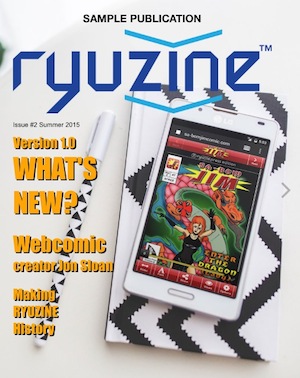
New Sample Magazine

newsample_cover

READ ONLINE NOW

Our first “Sample Magazine” was released with Ryuzine back in 2011, so with the launch of version 1.0 it was overdue for an update!   This NEW “Sample Magazine” is not only designed to inspire ideas and show off what is possible with Ryuzine, it also has real articles for you to read. The old one was mostly just a demonstration of layout techniques with no actual articles.

If you’re interested in publishing your own digital magazines in Ryuzine format you can download the Ryuzine Publisher Distribution Kit, which contains all of the source files used to create this sample publication.  You can open it up in Ryuzine Writer, play with it, and really see how it went together.  Not sure you’re ready to download?  Try out the ONLINE DEMO instead 😉

Ryuzine 1.0 Update Later in 2015

ryuzine_icons_2015

This post is to reassure you that we haven’t forgotten about the promised major update to the Ryuzine webapps – in fact they are well on their way for a release sometime later in 2015!  Instead of releasing the incremental changes this upcoming release will jump right to version 1.0!

Above you can see the app icons have also undergone a visual overhaul, but the webapps themselves are all undergoing massive rewrites – with so many changes and new features the change-log already goes on for pages.  What sort of changes?  Well, for starters the User Interfaces have all undergone a lot of simplification.

User Interface Updated

You’ll no longer need to hit the “More”  and “Less” buttons to slide controls left and right – all the buttons are now presented on one Navigation Bar:

Updated Phone UI Nav Bar

Updated Phone UI Nav Bar

Behind that “Share” button is also a completely rewritten social media sharing widget, and in addition to still being able to drop in your own widget the third-party “Add-Ons” API from Ryuzine Writer has been completely rewritten and will also available in both Ryuzine Reader and Ryuzine Rack.  That means adding your own custom dialogs and panels, but previously built-in features like the “Lightbox” are also going to be broken out into optional add-ons, making it easier for third-party developers to expand or replace them.

Page Manager & More

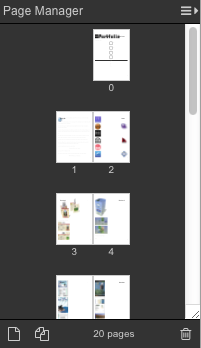
One of the biggest changes coming to Ryuzine Writer is the new “Page Manager!”  Here’s a look at it in action:

"Page Manager" panel in Ryuzine Writer's Editor

“Page Manager” panel in Ryuzine Writer’s Editor

 Professional page layout programs used in the print media industry allow the designer to easily see how their pages lay out in relation to one another, and easily add/delete and drag-to-reorder the pages.  All of those features will be available in the new Page Manager panel, as well as the ability to change the size of the page thumbnails, show individual or facing pages (either left or right bound), and a “continuous” view in the editor that is a much better representation of the same view within Ryuzine Reader.

The editor will also support “Master Styles” which can be changed without having to refresh the browser and reload Ryuzine Writer.  Issue-specific styles can also be loaded, previewed, and unloaded within the editor.  If you are using PHP File Operations in the editor the Image Insert no longer creates a pop-up window that may be blocked by browsers.

The “Package Builder” has also undergone a major rewrite and will also offer the option of packaging into a plain folder instead of a ZIP archive.  This is useful if you want to make manual additions or changes to the package or plan to immediately FTP it up to a website for viewing rather than offering it as a downloadable publication.

We could literally go on and on listing everything in the change-log but we’ll hold off until the actual release.

Ryuzine is Going Open Source!

We’re still looking through the various open source licenses to find the one that fits us best, but you read that correctly – version 1.0 of all the Ryuzine webapps will be released under an open source license.  This will completely replace the current  Commercial and Non-Commercial Use licenses.  That means with version 1.0 there will no longer be a requirement to purchase a license for commercial use!  ALL of the source code will eventually be available on GitHub, with each webapp and add-on in its own repository.  Once that has happened anyone and everyone can contribute to making Ryuzine even better!  Since it will be a little confusing for non-developers to grab and assemble all the files from multiple repositories, www.ryumaru.com will remain the place to download the pre-packaged webapps.

So When Can You Get It?

One of the factors in deciding to take Ryuzine open source is that, since the beginning, there has only been ONE developer working on it as a side-project, even as the “family” of webapps has grown.  The first step was a “code audit” to make sure all the code that will be released CAN be released under an open source license.  Then there were all the UI changes, updating themes broken by the UI changes, bug fixes, adding new features, breaking built-in functions out into add-ons, rewriting the Add-On API, and lots and lots more that still needs to happen.  Our best guess is that it will be ready sometime in the Spring or Summer of 2015.  Until then you can still download version 0.9.6.7 of Reader/Rack and Writer and 0.9.6.8 of the Ryuzine Press plugin for WordPress.

+Comic Easel Autofix

If you have a WordPress powered site for a webcomic and have switched to the Comic Easel plugin and/or updated to ComicPress 4.x you may have noticed that your Ryuzine Press Editions that should include comics no longer include comic posts after the upgrade.

This is because Comic Easel uses a custom category type called “Chapters” that are only associated with the custom “comic” post-type.  Pages are assigned to Ryuzine Press Editions by being included in the same category as the edition, and since Comic Easel/ComicPress 4.x comic posts never exist in normal categories there is no way to assign them to editions without “hacking” the Comic Easel files to allow it.  Two different hacks are outlined in the Ryuzine Press manual, but now there is an (experimental) automatic fix!

Go get the latest Ryuzine Press ZIP file.  If you just want to patch an existing installation (which is likely if you’re reading this) all you need to do is overwrite:

~/wp-content/plugins/ryuzine-press/ryuzine-press.php

with the same file in the ZIP archive you downloaded.  You do not need to update the Ryuzine webapp, nor do you need to reinstall anything to the theme (unless you just installed ComicPress 4.x or a new child theme, then you will need to go to Ryuzine Press > Tools > Update Ryuzine  and install to your theme.  If the files are not in the currently active theme it will prompt you to install them).

What this does is check for the custom post-type “comic” and then checks to see if the “Comic Easel” plugin is activated and then attempt to automatically add the regular “Category” selector to Comic Easel so you can assign comics to a Ryuzine Press Edition.  Please be aware this is experimental, it may not work if Comic Easel initiates later than Ryuzine Press, it won’t work if you have set a different custom post-type in the Comic Easel settings.  If this auto-fix doesn’t work for you then you will need to do the manual hack outlined in the Ryuzine Press Manual, which unfortunately needs to be repeated after every Comic Easel update.  If the auto-fix does work for you it should continue to work even after a Comic Easel update.

If you are still using ComicPress 2.x you do NOT need this update!

Note: ComicPress and Comic Easel are developed by Philip M. Hofer (aka “Frumph”).  Please do not direct any bug reports or support questions to him regarding how Ryuzine Press works (or doesn’t) with his plugins and themes.

Ryuzine Writer PHP Patch

Note: This patch is included in Build 20131101.01, go to the Help > About screen in Ryuzine Writer to see the build number.  If you don’t see that number your install is outdated.

Issue:
PHP File Operations fail when Ryuzine Writer is being run from
a server with the latest version of PHP installed.

Cause:
The PHP files included with Ryuzine Writer utilize a form action
that is no longer supported by PHP. This old method was dropped
because it could expose forms to injection attacks.

Installation:

Download the Patch and unzip it.

Drag and drop all the files in the /patch folder to:

[Ryuzine PDK location]/DEV/ryuzinewriter/

For example, on our Mac OS X dev system it would be:

/Applications/XAMPP/xamppfiles/htdocs/Ryuzine_PDK_0.9.6.5/DEV/ryuzinewriter/

And replace/overwrite the PHP files already there.
Reload Ryuzine Writer in your web browser.

If you are still encountering PHP errors try to delete any “tmp” folder
that may be present in your Ryuzine PDK installation and reload the web app
in your web browser.

Patching Previous Versions

  1. Open each of the PHP files in the /ryuzinewriter sub-folder in a plain text or code editor
  2. Find the line with the <form> element (if present)
  3. Change action=“<?php echo $php_self ?>” to action=“”
  4. Save the file
  5. Reload the Ryuzine Writer web app in your browser

MCBA SpringCon

69569_494543940581037_1787298583_n

Ryu Maru spent the weekend at the Midwest Comic Book Association‘s SpringCon!  For those of you who don’t know it is the largest comic book convention in Minnesota, held each year at the State Fairgrounds Grandstand, running both Saturday and Sunday from 10AM – 5PM.

SBJV1

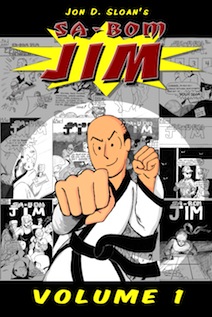
We were there promoting Jon Sloan’s new trade paperback, which collects the complete “volume one” of his comic series “Sa-Bom Jim” in a book over 400 pages thick.  We were also making people aware of the great Ryuzine Press Editions of his (currently being posted online) “volume three” material, and the Ryuzine family of webapps in general.  We were also in good company there “under the stairs” with some of the many “conspirators” of the International Cartoonist Conspiracy.

conspiracylogo

Thanks to some good local press beforehand (and possibly the rainy weather during) there was a pretty good turn-out for this year’s SpringCon.  Thank you to the MCBA, volunteers, and everyone in attendance who made it a positive experience!

Check out our Photo Album over on our Facebook page.

Writer Add-Ons

addons_cover

Ryuzine Writer version 0.9.6.3 introduces a new “add-on” system we hope may spur some third-party development of extensions to our stand-alone authoring webapp.  In fact, we’ve moved several parts of Writer from core code into optional add-ons.

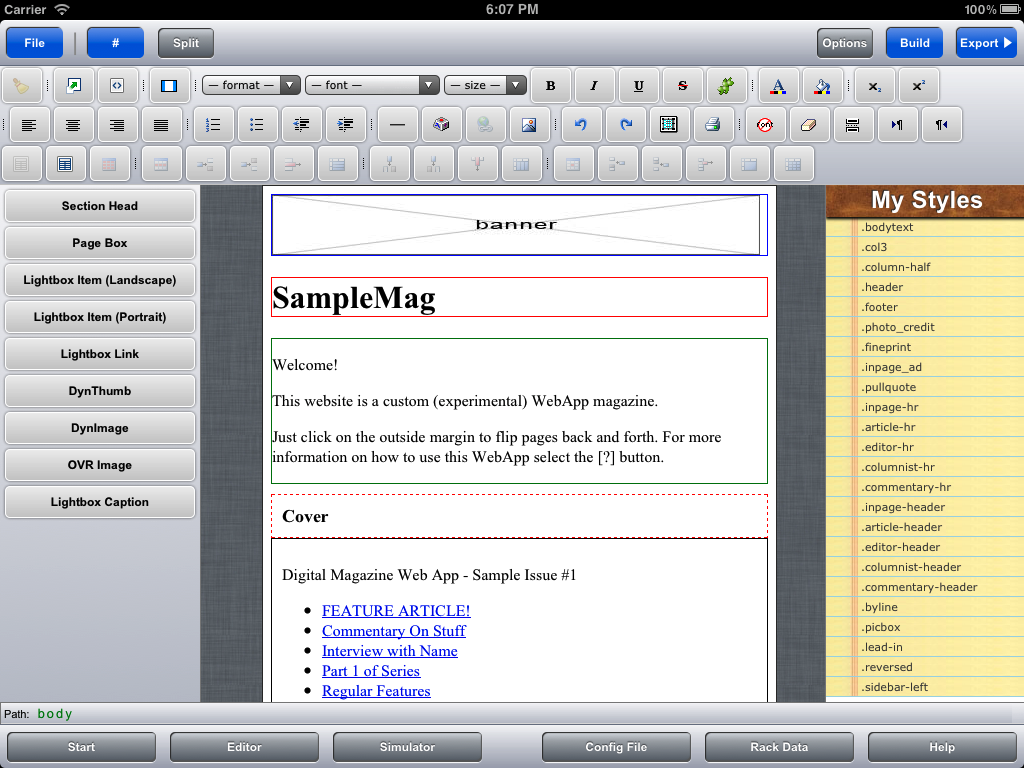
This new add-on system also has some functions that make it easy to add your own “Start Screen” shortcut buttons, dialog boxes, output options, even entire custom “workspaces” appended to the ones already included in Ryuzine Writer.

Because this is new and of a much more technical nature than the rest of the Writer manual, which is targeted at publishers not programmers, we’ve created a manual “supplement” focused exclusively on this new add-on system available at https://www.ryumaru.com/library/addons096x.htm

It should also be mentioned that the “rich text” editor used in Ryuzine Writer is a highly modified version of the Xinha project, which has it’s own, entirely separate, plug-in and theme system.  Some of the Ryuzine Writer editor functionality and themed appearance is implemented through those systems, but if you want to install or develop a extension for the rich text editor be aware third-party plug-ins may not work with our modified version and (vice versa) if you develop an extension in conjunction with the implementation in Ryuzine Writer your plugin may not work properly in the unaltered editor, so make sure you test it!

Ryuzine Rack Live Examples

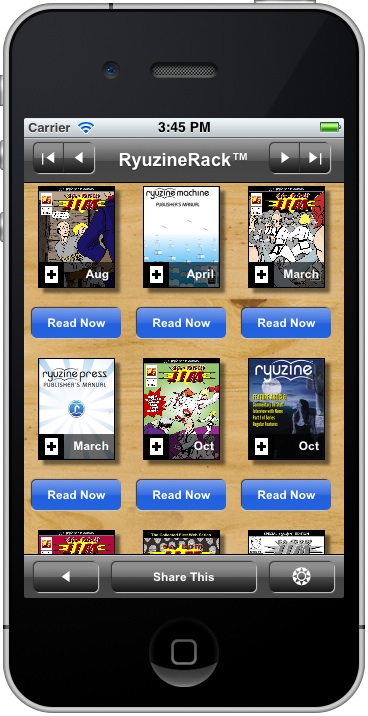
“Ryuzine Rack” is our new newsstand webapp built on the same foundation as Ryuzine Reader, but designed to act as a library, store, or promotions page on your website.
There is a “stand-alone” version that does not require a back-end database.  It uses simple HTML “catalog” files with plain <TABLE> elements to store and organize the data.  You can have as many catalogs as you need, organized however you please, and you can customize them with additional columns and decide which columns are sortable.  Or just use our Ryuzine Writer authoring webapp to easily help you build standard catalog files.  Our site is using this stand-alone version (also available under the “Library” button in the menu up top):

https://www.ryumaru.com/library/

The other version is “Ryuzine Rack for Ryuzine Press” which is integrated with the Ryuzine Press Plugin for WordPress blog sites.  It optionally replaces the Ryuzine Press Editions archive page with Ryuzine Rack.  The admin back-end also has a utility on the Ryuzine Press > Tools > Rack Builder that allows you to add content to the catalog that is not generated by Ryuzine Press or content that isn’t on your site.  You can also use the utility to create additional catalogs.  All of the data is stored in the WordPress database, but is still bundled into plain <TABLE> elements and sent with the webapp, so even on mobile devices sorts and searches occur almosts instantly.  Jon Sloan’s comic web site is using the WordPress-driven version (also available under the “Store” button at the top of his site):

https://www.thedojahng.com/ryuzine-rack/

This is the first version of Ryuzine Rack and does not have any “Help” info in it yet.  While we believe it’s fairly intuitive, here is a quick primer on some of the features:

Item Details (Grid View) – click the [+] in the corner of the cover thumbnail to open the item details info card (to prevent accidental mis-fires while scrolling on touch devices the entire cover is not a button).

Action Button – below each item (in Grid View) and to the right of each item (in List Views) is a button.  It might say “Read Now,” “Buy Now,” “Download,” etc., depending on what the content is.  These buttons take you away from the Ryuzine Rack webapp and to whatever content to which they point.  For “Buy Now” items that is usually a product page on the site wherever the item is being sold (Ryuzine Rack is not e-commerce enabled itself).

Changing Pages – use the navigation buttons at the top of the screen, or on iOS and Android devices you can swipe left/right to change pages.  Keyboard left/right arrows also change the pages, or Home and End keys go to the first and last page respectively.

Sorting List – The descriptors by which the items are sorted appear in the “Sort List” panel.  Tapping the same heading more than once toggles the sorting of the list between ascending and descending by that heading.  For example, all items are initially shown in descending order by date (newest to oldest).  If you go to Sort List > Date it will toggle it to ascending (oldest to newest).

Alternate Views – the default is the newsstand-like cover grid view.  Under the “Views” panel you can select “Detail List” or “Simple List.”  The “Font” size adjustment only works with list views, not grid.

Options – in the bottom bar navigate as far to the right as you can and tap the Options “gear” button.  In the Options panel you have several preferences you can set (which differ from the standard Ryuzine Reader options):

Featured Items – shows or hides the promotion carousel at the top of the first page of search results.

Items per Page – adjusts how many items to show on each page of search results, however this setting is not retained from one session to another.

Filter All – if you click the underlined “Media Type” or “Category” links in an item description it will sort the search results by that term.  If “Filter All” is turned on it will look through the entire catalog for matches to the filter term.  If it is turned off it will only look through the current page of search items for matches.

Page Animations – when you change pages they animate by sliding in and out to the left or right.  If you just want the pages to “pop” into view you can turn off the animation.

iScroll Scrolling – the search results and panels use the iScroll scrolling add-on script.  If this  is causing problems you can disable it.

Theme UI – if the webapp is being themed you can turn that theme off and on here.  Sometimes themes can cause performance issues on lower-end devices and disabling the theme will improve usability.

If you want to use Ryuzine Rack on your own website you can grab the stand-alone version with the Publisher Distribution Kit or the Ryuzine Press version if you use WordPress.  You can use either Ryuzine Rack or Ryuzine Reader or both on your website.

Note: the Opera web browser is no longer officially supported by any of the “Ryuzine” webapps.  Internet Explorer, Firefox, Chrome, or Safari should be used.
Ryuzine Writer Demo Updated

The Ryuzine Writer online demo has just been updated to the latest (0.9.6.1) version!  This new version works with current versions of Chrome, Safari, and Firefox plus “experimental” support for Internet Explorer 10.  The new “mobile mode” (also considered experimental) supports both phones and tablets.

The only feature which has been disabled in the online demo are the new PHP File Operations (read/write files to the server).  However, if you Download the PDK and set it up on a localhost web server – we strongly recommend using XAMPP – you’ll be able to open and save files as well as automatically package publications into downloadable ZIP files.  To be clear, this functionality is disabled in the online demo.